Your scheduling tools are ready.
Let’s connect your WhatsApp account.
Your browser extension is officially installed. Follow these 3 simple steps to link your phone number and start scheduling automated messages directly inside your chats.
Step 1: Link Your Phone
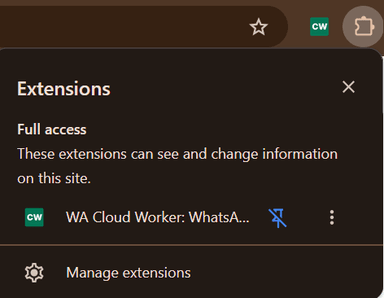
Make sure the extension icon is visible in your browser toolbar. Then open WhatsApp on your mobile phone, go to your settings menu, tap on Linked Devices, and scan the standard WhatsApp setup code.
Step 2: Use It Directly Inside Your Chats
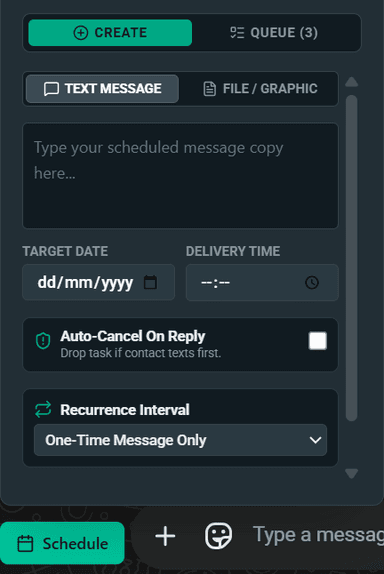
You do not need to use a separate, complicated dashboard. Our scheduling control panel displays natively right next to your chat typing area inside WhatsApp Web, making it easy to schedule any message instantly.
Step 3: Built-In Safety Shields
Your deliveries are completely protected. If a customer replies to you manually before a scheduled reminder is sent out, our Interruption Shield will automatically pause that task so you can chat with them naturally.
The extension adds smart timing variations to ensure every single scheduled delivery looks completely human and organic.
// Secure Server Infrastructure Synced